
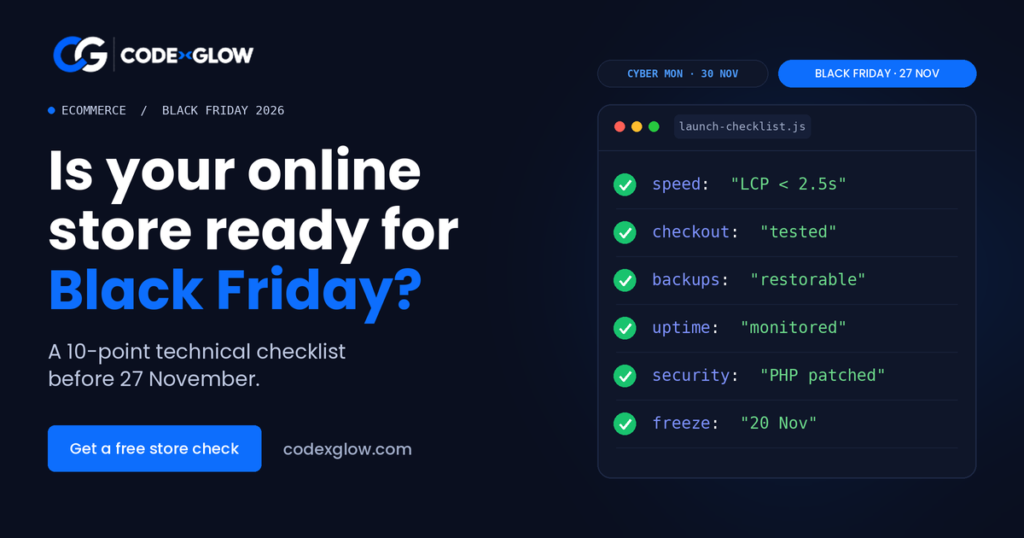
Black Friday is on 27 November 2026 and Cyber Monday is on 30 November. To get your store ready, check mobile speed (LCP 2.5 s or less, INP 200 ms or less, CLS 0.1 or less), test your checkout end to end, back up and rehearse a restore, set up uptime alerts, patch PHP and your CMS, harden security, prepare your offers and product feeds, then freeze code about a week before the sale (20 November).
Black Friday is the busiest and least forgiving week of the year for an online store. Adobe 2026 holiday forecasts a record $275.1 billion in US online holiday spending this season (ref: Digital Commerce 360 and Retail Dive), up 6.7%, with Black Friday alone expected to reach $12.9 billion, up 9.2%. Bain & Company expects US retail sales from Black Friday through Cyber Monday to top $85 billion. Much of that happens on phones: Adobe projects 57.4% of online holiday sales to come from mobile devices, and a record 63% on Thanksgiving Day.
Those are US forecasts, but the technical lesson applies to every store. If your site is slow, down or cannot complete a payment during the sale, you lose the most valuable traffic of the year, and most of those failures are preventable. This is a developer’s checklist. You can work through it yourself or hand it to your web team.
Your 4-week countdown to Black Friday
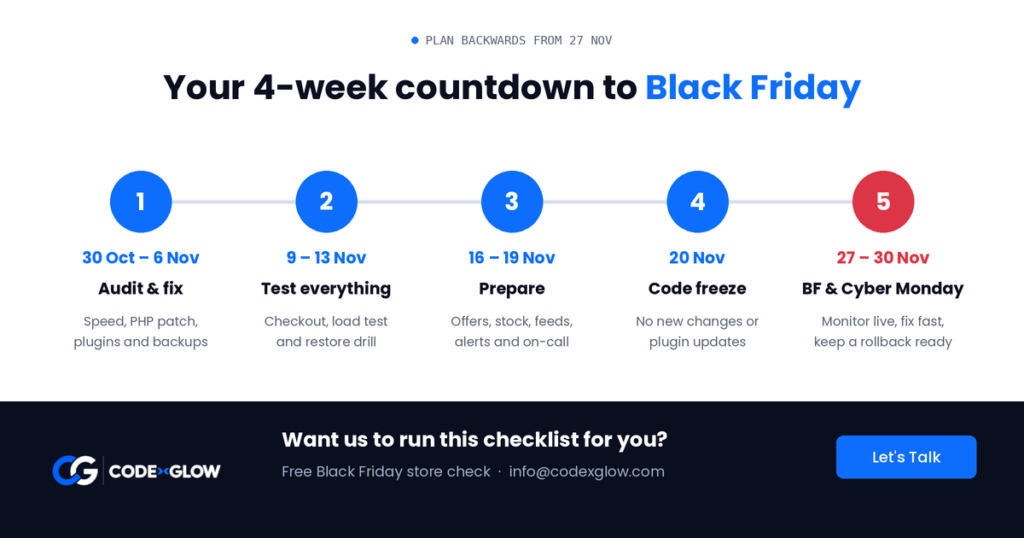
Work backwards from the sale:
- 30 Oct to 6 Nov: audit and fix (speed, PHP patch, plugins, backups)
- 9 to 13 Nov: test everything (checkout, load test, restore drill)
- 16 to 19 Nov: prepare (offers, stock, product feeds, alerts, on-call)
- 20 Nov: code freeze
- 27 to 30 Nov: Black Friday and Cyber Monday, monitor live
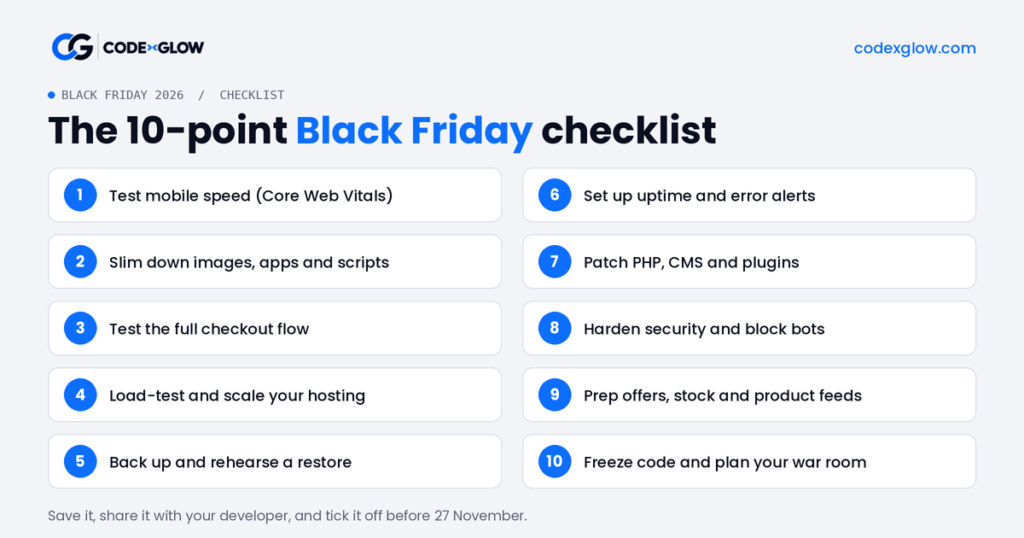
The 10 checks at a glance
1. Test your mobile speed (Core Web Vitals)
Google’s Core Web Vitals measure loading (LCP), responsiveness (INP) and visual stability (CLS). The ‘good’ targets are an LCP of 2.5 seconds or less, an INP of 200 milliseconds or less and a CLS of 0.1 or less, measured at the 75th percentile of real visits.
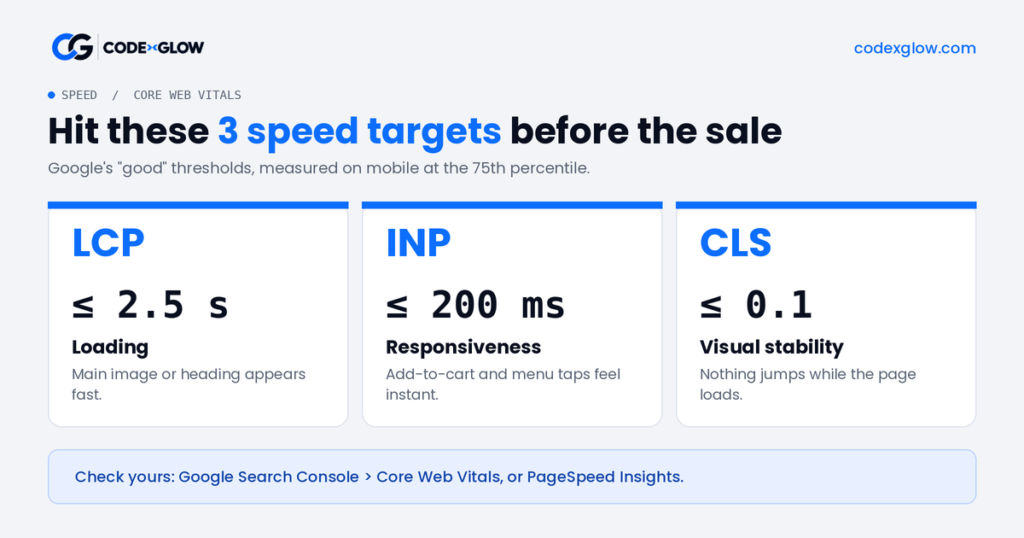
- Open Google Search Console (Core Web Vitals report) and PageSpeed Insights, and look at mobile field data first.
- Fix the biggest wins first: an oversized hero image, render-blocking scripts, slow fonts and banners that make the page jump.
- Retest after every change.
Speed affects sales. One widely cited Portent study found that pages loading in 1 second converted at about 39%, compared with about 22% for pages that took 5 seconds.
2. Slim down images, apps and scripts
- Compress images and serve modern formats such as WebP or AVIF. Lazy-load images below the fold.
- Remove unused plugins, apps and themes. Every one adds code and risk.
- Delay or drop non-essential third-party scripts (chat widgets, heatmaps, pop-ups), especially on the cart and checkout.
- Keep promo banners lightweight and give them fixed dimensions so the page does not jump.
3. Test the full checkout flow
Place test orders on a staging copy, then one low-value live order that you refund.
- Guest checkout and logged-in checkout
- Every payment method, including wallets and buy now, pay later (Adobe projects about $807 million of online BNPL spending on Black Friday)
- Stacked coupons, free-shipping thresholds, shipping zones and tax rules
- Order emails, stock reduction and refunds
- All of the above on a real mobile device
4. Load-test and scale your hosting
- Ask your host about limits: PHP workers, memory, concurrent connections and bandwidth.
- Turn on page caching, object caching and a CDN. Never cache cart, checkout or account pages.
- Run a load test on staging with a tool such as k6 or Loader.io to see where the site slows down or fails.
- Plan to upgrade your plan or server for sale week, then scale back afterwards.
5. Back up and rehearse a restore
- Take full file and database backups and keep a copy off the server.
- Keep one snapshot from just before the code freeze.
- Restore a backup to a staging site and time it. A backup you have never restored is only a hope.
- Write down who restores what, and in which order.
6. Set up uptime and error alerts
- Use an uptime monitor with phone alerts for the home page, a product page and the checkout page.
- Watch server load, error logs and your payment gateway’s status page.
- Decide who receives each alert and who takes over if they do not answer.
7. Patch PHP, your CMS and plugins
PHP released emergency security updates on 21 October 2026 for two critical remote code execution flaws (CVE-2026-109618 and CVE-2026-109619, both rated CVSS 9.2). The fixed versions are PHP 8.5.12, 8.4.27, 8.3.36 and 8.2.35. PHP 8.1 and older receive no official fix, so plan an upgrade. On managed hosting, ask your host to confirm the patch is applied. On a VPS you must update PHP yourself and restart PHP and your web server.
Then update your CMS, theme and plugins (WordPress, WooCommerce, Magento or Laravel packages), on staging first. Finish at least a week before the freeze so you have time to fix any regressions. Read our full guide to the critical PHP vulnerability.
8. Harden security and block bad bots
- Turn on two-factor authentication for every admin, remove unused admin accounts and use unique passwords.
- Put a web application firewall (WAF) and bot protection in front of the site, and rate-limit login, checkout and coupon endpoints.
- Audit every script on your checkout page. Digital skimming (e-skimming, including Magecart-style attacks) injects malicious JavaScript into checkout pages to steal card details. Remove scripts you do not need and monitor file changes.
- Use hosted payment fields from your gateway so card data never touches your server, and make sure your SSL certificate is valid.
9. Prepare offers, stock and product feeds
- Publish your Black Friday landing and offer pages early so search engines can crawl and index them.
- Keep prices, stock and shipping information accurate everywhere, including your Google Merchant Center feed.
- Add Product and Offer structured data so search engines and AI assistants can read your deals. AI shopping agents are an emerging channel: Google’s Universal Commerce Protocol standardises how agents read a store’s catalog, pricing and availability.
- Test every promo code and set usage limits.
10. Freeze code and plan your war room
- Freeze changes about a week before the sale (20 November): no new features, theme edits or plugin updates, only critical fixes.
- Name an owner for hosting, payments, marketing and customer support, and share phone numbers.
- Write a one-page rollback plan and keep the pre-freeze backup within reach.
- After Cyber Monday, review what happened and note what to change next year.
Quick self-check
| Area | Target | Where to check |
|---|---|---|
| Mobile speed | LCP 2.5 s or less, INP 200 ms or less, CLS 0.1 or less | Search Console, PageSpeed Insights |
| Checkout | All payment methods and coupons work on mobile | Staging test orders |
| Backups | Restore tested and timed | Staging restore |
| Uptime | Alerts on home, product and checkout pages | Uptime monitor |
| PHP | 8.5.12, 8.4.27, 8.3.36 or 8.2.35 (or newer) | Hosting panel, WordPress Site Health |
| Freeze | No changes from 20 Nov | Team calendar |
Frequently asked questions
When is Black Friday 2026? Black Friday is on Friday 27 November 2026 and Cyber Monday is on Monday 30 November 2026.
When should I freeze my website before Black Friday? Freeze changes about one week before the sale, around 20 November 2026. After that, make only critical fixes so new code, themes or plugin updates cannot break checkout.
What speed should my store hit for Black Friday? Aim for Google’s good Core Web Vitals thresholds on mobile: LCP of 2.5 seconds or less, INP of 200 milliseconds or less and CLS of 0.1 or less, measured at the 75th percentile of real visits.
Do I need to update PHP before Black Friday? If your store runs on PHP, yes. PHP released fixes on 21 October 2026 for two critical remote code execution flaws, CVE-2026-109618 and CVE-2026-109619. The fixed versions are PHP 8.5.12, 8.4.27, 8.3.36 and 8.2.35. PHP 8.1 and older have no official fix, so plan an upgrade.
How do I test my checkout before a big sale? Place test orders for guest and logged-in customers using every payment method, coupon, shipping zone and tax rule, and check order emails, stock levels and refunds. Repeat the tests on a mobile device.
Can CodeXGlow check my store before Black Friday? Yes. CodeXGlow can review your store’s speed, checkout, security and PHP version. Email info@codexglow.com to request a store check.
Want us to run this checklist for you?
CodeXGlow builds and maintains WordPress, WooCommerce, Shopify and custom e-commerce websites, and works with agencies as a white-label development partner. Send us your store URL and we will review its speed, checkout flow, security and PHP version before the sale. Email info@codexglow.com or contact us.